
Overlapping Banner
Default: choose 'banner overlapping' under styles
Default: choose 'banner overlapping dark blue' under styles
Other Banners
Default: choose 'banner dark blue' under styles
Default: choose 'banner dark blue with link' under styles
Default: choose 'banner light blue' under styles
Default: choose 'banner dark blue with link' under styles
Default: choose 'banner small' under styles
Default: choose 'banner small with link' under styles
Buttons
how to: link
Carousel
how to: link
Splide Carousel
add a container, change its style to 'splide carousel' add a container component and configure as normal carousel component. Splide carousel can be swiped by hand, so it is more friendly to the visitors of your page.


- 1
- 2
Contacts
how to: link
This is a text component. In order to add this component you have to add text, and change its style to 'text contacts'.
24/7 Breakdown service support
Download
how to: link
Default: Select 'default' under styles.
Eco Rental Book
Lorem ipsum dolor sit amet, consectetur adipiscing elit, sed do eiusmod tempor incididunt ut labore et dolore magma.
- lorem
- lorem
- lorem
- Filename
- page1.pdf
- Size
- 142 KB
- Format
Default with background: Select 'default with BG' under styles.
Eco Rental Book
Lorem ipsum dolor sit amet, consectetur adipiscing elit, sed do eiusmod tempor incididunt ut labore et dolore magma.
- test
- test
- test
- Filename
- page1.pdf
- Size
- 142 KB
- Format
With image: Select 'with image' under styles.
Eco Rental Book
Lorem ipsum dolor sit amet, consectetur adipiscing elit, sed do eiusmod tempor incididunt ut labore et dolore magma.
- list
- list
- list
- Filename
- page1.pdf
- Size
- 142 KB
- Format
With image and background: Select 'with image and BG' under styles.
Eco Rental Book
Lorem ipsum dolor sit amet, consectetur adipiscing elit, sed do eiusmod tempor incididunt ut labore et dolore magma.
- list
- list
- list
- Filename
- page1.pdf
- Size
- 142 KB
- Format
Small: Select 'Small' under styles.
Small with background: Select 'Small with BG' under styles.
Embed Video
how to: link
Image
how to: link
Image caption - lorem ipsum dolor sit amet ano domino
Key Specs
how to: link
KEY SPECS
Description Description Description
KEY SPECS
Description Description Description
KEY SPECS
Description Description Description
List Component
how to: link
Quote
add a teaser, configure the component and set its style to be 'quote default'
Scrollable Component
- add a container and change its style to 'scrollable component'
- add an image on the left hand side.
- on the right hand side add a container so the components we will add next will stay in the right side of the main component.
- add a title, text and a list component.
- The list component styling should be adjusted to be 'teaser icons' and you need to get into component configuration to click on 'display as teaser'.
Industries
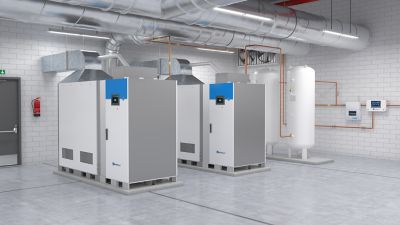
An industrial context may contain multiple applications and it is requiredto identify the appropriate pumping system for proper fluid management.
Social Media Sharing
How to: link
-
WeChat
Tabs
How to: link
- People
- Ethic
- Safety & Wellbeing
- Product & Service
- Financial
Teaser Cards
Teaser Card Style: 'Product Card White'
Teaser Card Style: 'Product Card Blue'
Teaser Card Style: 'Product Card Dark Blue'
Teaser Card Style: 'Comment card'

Teaser Card Style: 'Content Card with Icon'
Teaser Card Style: 'Contact card' with different color options you need to select under styles as well
Teaser Card Style: 'Icon card' with different color options you need to select under styles as well. There are white and light blue background options.
Teaser Card Style: 'Icon card horizontal' with 2 color options
Teaser Card Style: 'Icon card horizontal XL'

Teaser Card Style: 'Promo card' with different color options. Blue:
Teaser Card Style: 'Promo card' with different color options. Light blue:
Teaser Card Style: 'Promo card' with different color options. Dark blue:
Value Card Style: select 'Value Card' with different color options you need to select under styles as well
Job Promo Card Style: Job Promo Card One Color Only
Teaser Content
Style: Teaser Content White With Link
Style: Teaser Content Light Green With Button
Style: Teaser Content Light Blue With Button
Style: Teaser Content Blue With Button
Style: Teaser Content Dark Blue With Button
Style: Teaser Content Small, pretitle is on the left a bit, this is reported.
Teaser, Style: Small with list
Default Teaser, Style: Teaser Content Primary Button with dark blue background
Default Teaser, Style: Teaser Content Primary Button with blue background
Default Teasers
how to: link
Default teaser: select default under styles
Teaser with CTA link
Teaser with Button and a CTA link
Text
how to: link
Lorem ipsum dolor sit amet ano domino consectetur adipiscing elit, sed do eiusmod tempor incididunt ut labore et dolore magna aliqua.
Lorem ipsum dolor sit amet ano domino consectetur adipiscing elit, sed do eiusmod tempor incididunt ut labore et dolore magna aliqua.
Lorem ipsum dolor sit amet ano domino consectetur adipiscing elit, sed do eiusmod tempor incididunt ut labore et dolore magna aliqua.
Lorem ipsum dolor sit amet ano domino consectetur adipiscing elit, sed do eiusmod tempor incididunt ut labore et dolore magna aliqua.
Lorem ipsum dolor sit amet ano domino consectetur adipiscing elit, sed do eiusmod tempor incididunt ut labore et dolore magna aliqua.
Lorem ipsum dolor sit amet ano domino consectetur adipiscing elit, sed do eiusmod tempor incididunt ut labore et dolore magna aliqua.
Lorem ipsum dolor sit amet ano domino consectetur adipiscing elit, sed do eiusmod tempor incididunt ut labore et dolore magna aliqua.
Lorem ipsum dolor sit amet ano domino consectetur adipiscing elit, sed do eiusmod tempor incididunt ut labore et dolore magna aliqua.
Lorem ipsum dolor sit amet ano domino consectetur adipiscing elit, sed do eiusmod tempor incididunt ut labore et dolore magna aliqua.
Lorem ipsum dolor sit amet ano domino consectetur adipiscing elit, sed do eiusmod tempor incididunt ut labore et dolore magna aliqua.
Lorem ipsum dolor sit amet ano domino consectetur adipiscing elit, sed do eiusmod tempor incididunt ut labore et dolore magna aliqua.
Title
Title
how to: link
Table
how to: link
| dadsa | dadsadds | dsadsaasd |
|---|---|---|
| dsadsd | ddasads | adsdads |
| adsdas | adsda | adsda |
| adada | addads | adad |
| dadsa | dadsadds | dsadsaasd |
|---|---|---|
| dsadsd | ddasads | adsdads |
| adsdas | adsda | adsda |
| adada | addads | adad |